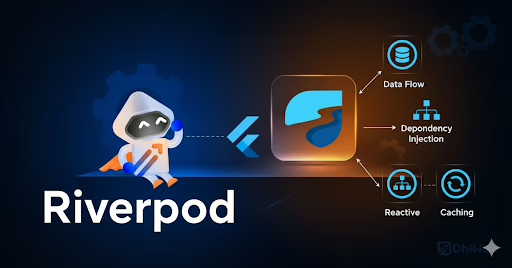
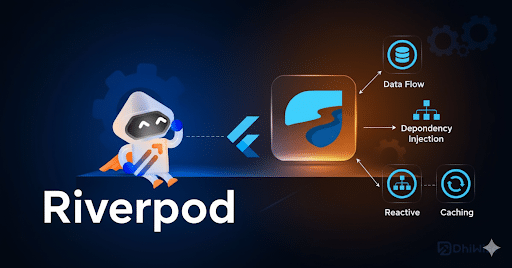
At Sreyas IT Solutions,our developers use Riverpod Flutter for state management to write efficient Flutter code, ensuring smooth performance in Flutter apps.
What is Flutter Riverpod ??
- Riverpod lets you write cleaner and more organized Flutter code, which enhances maintainability.
- Riverpod is a modern state management library that helps in managing Flutter Development and update app state effectively.
- It offers a safer and more flexible option than Provider, with better compile-time checks and fewer runtime errors.
- It operates separately from the Flutter widget tree, making it easier to reuse and test logic.
- With support for both synchronous and asynchronous state, Riverpod aids in building scalable and reliable Flutter app architectures.
Steps to Install Riverpod in a Flutter App
- Visit pub.dev and search for the flutter_riverpod package.
- Open your project’s pubspec.yaml file and add the dependency:
dependencies:
flutter_riverpod:
- Run the following command in your terminal to install the package:
flutter pub get - Once installed, you’re ready to integrate Riverpod into your flutter app.
- Before diving into Riverpod usage, it’s important to understand the basics of Providers, as Riverpod builds on these concepts.
What is a Provider in Riverpod?
- A Provider is the basic unit used to store and share values in Riverpod.
- It helps Flutter developers manage state and share data across the app effectively.
- Providers keep your Flutter code organized by separating logic from the UI.
- They update the UI automatically when their values change.
- Providers make state predictable, easy to test, and simple to reuse anywhere in the Flutter app.
How to create a provider !!
- Define a provider using Provider for simple state:
final greetingProvider = Provider((ref) => ‘Hello, Riverpod!’);
- Use ConsumerWidget or Consumer to read the provider in your flutter app:
class HomePage extends ConsumerWidget {

  @override

  Widget build(BuildContext context, WidgetRef ref) {

    final greeting = ref.watch(greetingProvider);

    return Text(greeting);

  }

}
What is ProviderScope:
- ProviderScope is a widget that keeps track of the state of all providers in a Riverpod app.
- You need to wrap your Flutter app with it, usually at the root, to make the providers work.
- It takes care of the lifecycle of providers, making sure state is saved or released correctly.
- It also lets you override providers for testing or different environments.
- Example usage:
void main() {
  runApp(
    ProviderScope(
      child: MyApp(),
    ),
  );
} - Without ProviderScope, no providers can be read in the app.
Different types of providers
- Provider – Exposes a read-only value, which is great for simple data like constants or calculated values.
final greetingProvider = Provider((ref) => 'Hello!'); - StateProvider – Manages mutable state, letting Flutter developers update and observe simple variables.
final counterProvider = StateProvider((ref) => 0); - FutureProvider – Handles asynchronous data and automatically updates the UI when the future finishes.
final dataProvider = FutureProvider((ref) async => fetchData()); - StreamProvider – Listens to streams and rebuilds the UI whenever new data comes in.
final streamProvider = StreamProvider((ref) => myStream()); - ChangeNotifierProvider – Works with ChangeNotifier classes to manage more complex state and inform listeners of changes.
final myNotifierProvider = ChangeNotifierProvider((ref) => MyNotifier()); - StateNotifierProvider – Offers a custom state notifier for scalable and testable state management.
final myValueStateNotifierProvider = StateNotifierProvider((ref) => MyValueStateNotifier());
These provider types help organize Flutter code effectively based on the app’s state requirements.
Folder Structure for a Flutter Project Using Riverpod
When using Riverpod, organizing your Flutter code helps maintain clarity and scalability:
lib/
├─ main.dart
├─ app/
├─ models/
├─ providers/
│ ├─ counter_provider.dart
│ └─ auth_provider.dart
├─ screens/
│ ├─ home_screen.dart
│ └─ login_screen.dart
├─ widgets/
├─ services/
└─ utils/
- main.dart – Entry point, wrapped with ProviderScope.
- app/ – App-level widgets, themes, and navigation.
- models/ – Data models used in the app.
- providers/ – All Riverpod providers (StateProvider, FutureProvider, etc.).
- screens/ – UI screens or pages of the app.
- widgets/ – Reusable widgets across the app
- services/ – API calls, database interactions, or other business logic.
- utils/ – Helper functions, constants, and utilities.
How Riverpod Flutter Benefits Developers
- Safe and Predictable: Compile-time safety reduces runtime errors in your Flutter app.
- Clean Flutter Code: It separates UI from state, which keeps your code organized and easy to maintain.
- Testable: You can easily mock or override providers for unit testing.
- Flexible: It works efficiently with synchronous, asynchronous, and stream data.
- Scalable: It supports complex app structures without causing performance issues.
- Reusability: You can share logic across different parts of the app without duplicating code.
- Lifecycle Management: It automatically disposes of unused state, which optimizes memory use.
Conclusion:
At Sreyas IT Solutions ,we use Riverpod to create Flutter apps with clean, maintainable, and scalable state management where it is most effective.
Our team carefully considers when to use Riverpod to make sure your Flutter code stays efficient, testable, and easy to manage. By choosing to adopt Riverpod only when necessary, we help your Flutter app deal with complex state reliably while maintaining optimized performance.
With our expertise and focus on quality, Sreyas IT Solutions delivers apps that are not just functional but also well-structured and ready for the future, ensuring a smooth experience for both users and developers.